Clusters — Finding Units of Meaning
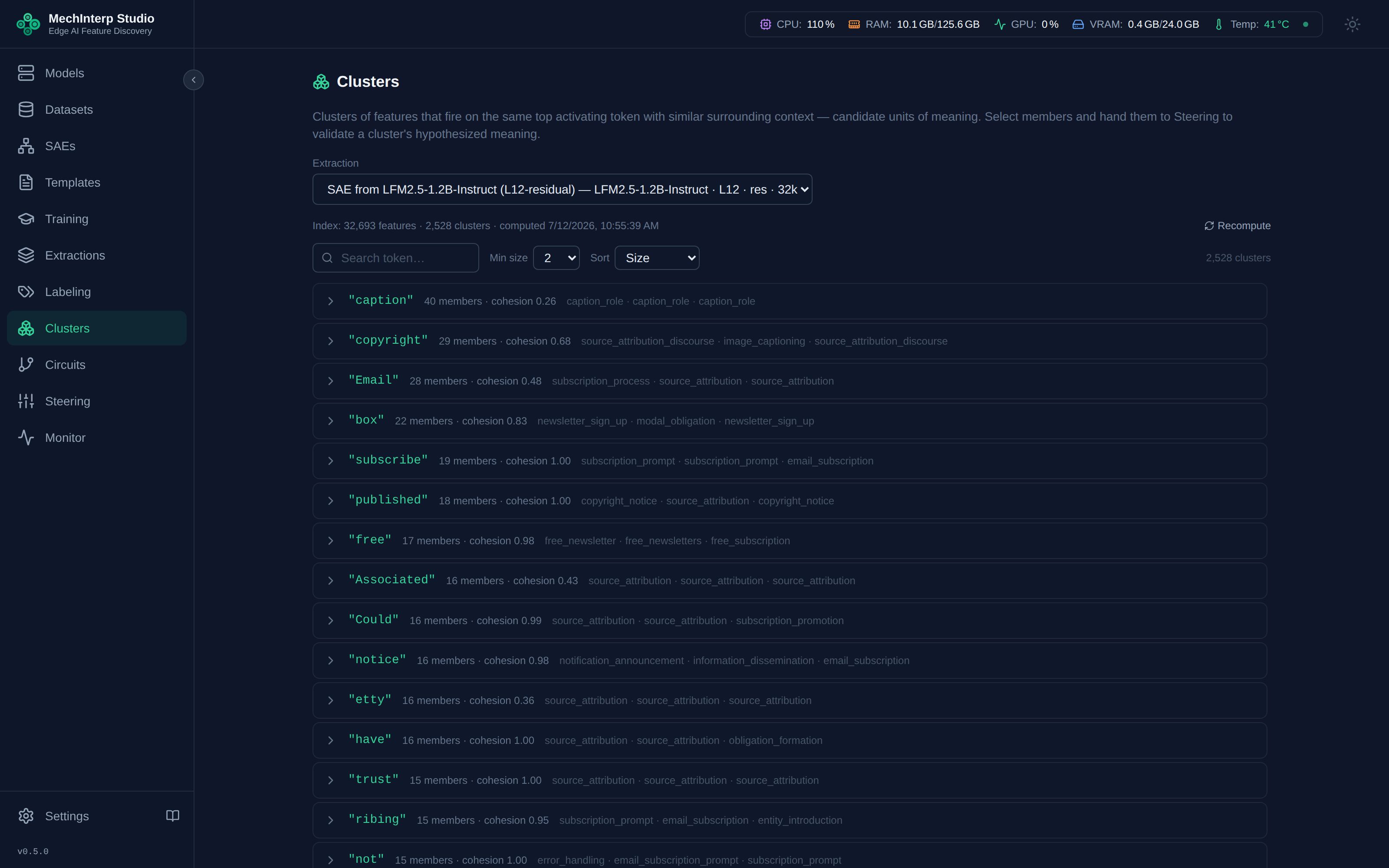
A single SAE extraction can produce tens of thousands of features, and related concepts are scattered across them: one feature fires on love in romantic contexts, another on love in "would love to" constructions, a third on amour. The Clusters panel finds these candidate clusters automatically — features that share the same top activating token (case- and tokenizer-marker-insensitive) with similar surrounding context.
The same capability powers the MCP server's grouping tools — the UI and agents query identical endpoints, so there is exactly one view of the data.
Building the Index
- Open Clusters in the sidebar and pick a completed extraction
- Click Compute Index — a CPU-only background job that:
- reads each feature's top activating examples,
- normalizes prime tokens (strips
▁/Ġ/##markers, case-folds), - builds a token→feature index,
- and splits each shared-token bucket into subgroups by context similarity (TF-IDF cosine over the ±5-token windows)
- Progress streams live; a few minutes for very large extractions
Extractions are immutable, so the index never goes stale — labels and stars shown in clusters are always joined live from the current feature records. Recompute only if you want different parameters.
Browsing Groups
Each group row shows its shared token, member count, and a cohesion score (mean pairwise context similarity — higher means the members fire in more similar contexts). Expand a group to see members with:
- current label (italic grey = still auto-labeled), star color, and stats
- a context snippet showing the token firing in situ (
prefix *token* suffix) - a similarity score to the group centroid
Click any member to open the standard Feature Detail modal. The link icon finds features related to that member across the whole extraction — via shared tokens, context overlap, or correlation analysis.
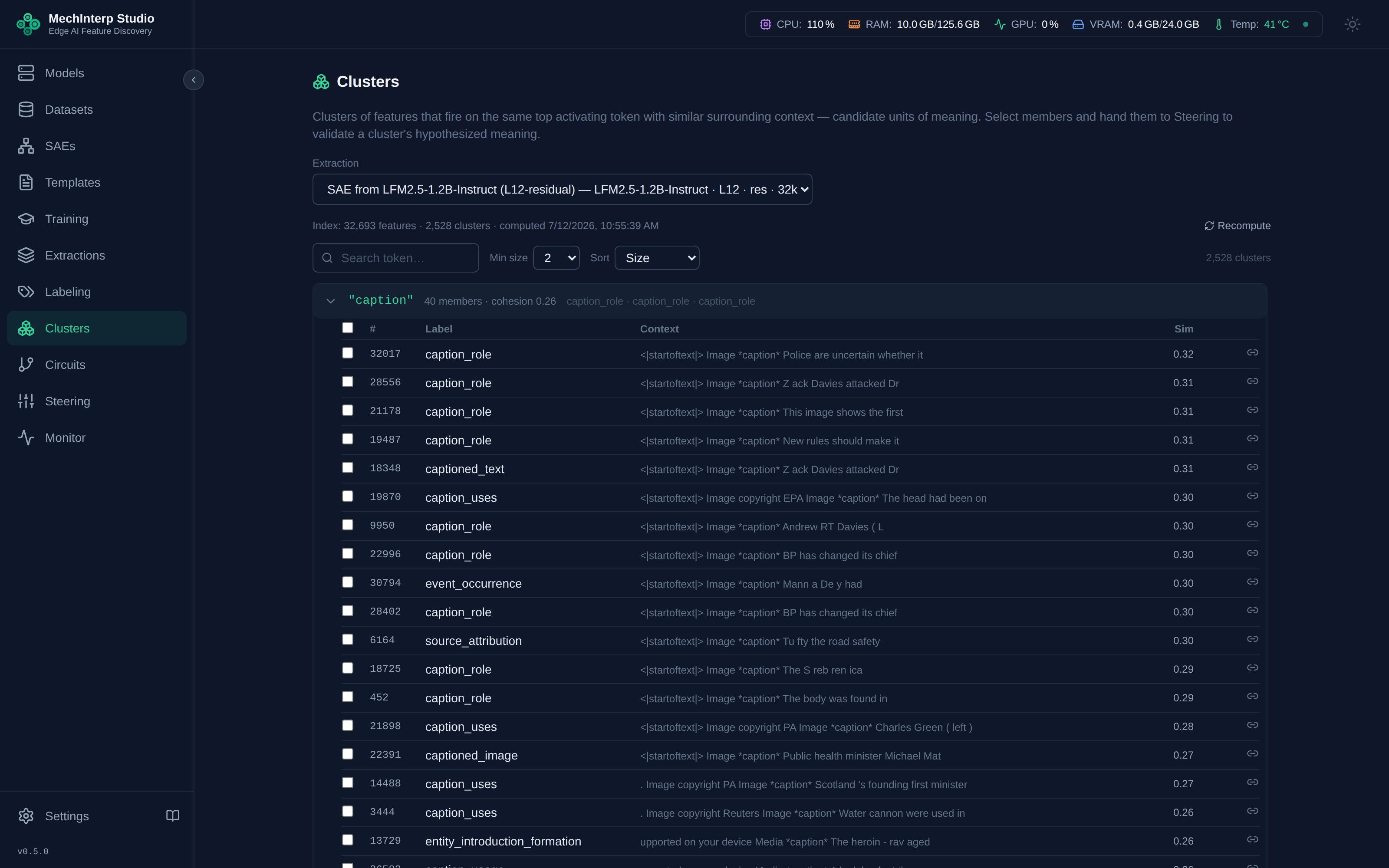
The checkbox in the header row selects or deselects every member at once; individual rows can be toggled too. Search by token, filter by minimum group size, and sort by size/cohesion/token.
Validating a Group with Steering
The point of a group is a hypothesis: "these N features encode roughly the same concept." Steering is how you test it:
- Check the members you want to test
- Click Steer selected — the features land pre-populated in the Steering panel
- Generate with the group members individually and combined; if the hypothesized concept shifts the output in the predicted direction, the group is real
Cluster Profiles — Saving & Sharing What You Found
Once a cluster is tuned (members selected, strengths validated, budget dialed in), you can make it durable:
- In Steering, click Save profile (or use Steer & save profile… directly from the Clusters panel)
- Give it a name (this becomes the title on Blended results) and an optional markdown narrative — what the cluster steers toward, the evidence, tuning notes
- The profile snapshots the members with their explicit tuned strengths, the strength budget, and the intensity dial λ
Profiles are decoupled from the recomputable grouping index — recomputing clusters never touches saved profiles. Manage them under Cluster profiles in the Steering sidebar: load one back (strengths restore exactly as saved — no auto-baselines), export, or delete.
Portable definitions (export / import)
Exports use the versioned, consumer-neutral mistudio.cluster-definition/v1 JSON format (schema published at docs/schemas/cluster-definition-v1.json in the repo). Definitions carry no secrets and no local filesystem paths — they are safe to share.
- Export one profile →
<name>.cluster.json; several → amistudio.cluster-bundle/v1file - Import a definition or bundle from the Cluster profiles panel. The compatibility matrix decides per item:
- bind — a local SAE matches (same id, or same
n_features+ layer) - warn + bind — usable but model/layer differ (warnings shown)
- blocked —
n_featuresmismatch: member indices would be meaningless - unbound — no local SAE; the profile imports for reading and can be bound later
- bind — a local SAE matches (same id, or same
The definition format is the contract future consumers (MILLM steering import, a unified MCP server, Open WebUI cluster controls) will read — profiles you author today are the artifacts that travel.
API
Everything here is available programmatically — see the Clusters API reference and the MCP tool catalog. Cluster profiles: GET/POST /api/v1/cluster-profiles, GET /{id}/export, POST /import, POST /export-bundle; MCP tools in the profiles category (list_cluster_profiles, get_cluster_profile, save_cluster_profile, export_cluster_definition).