Feature Extraction — Recording the Evidence
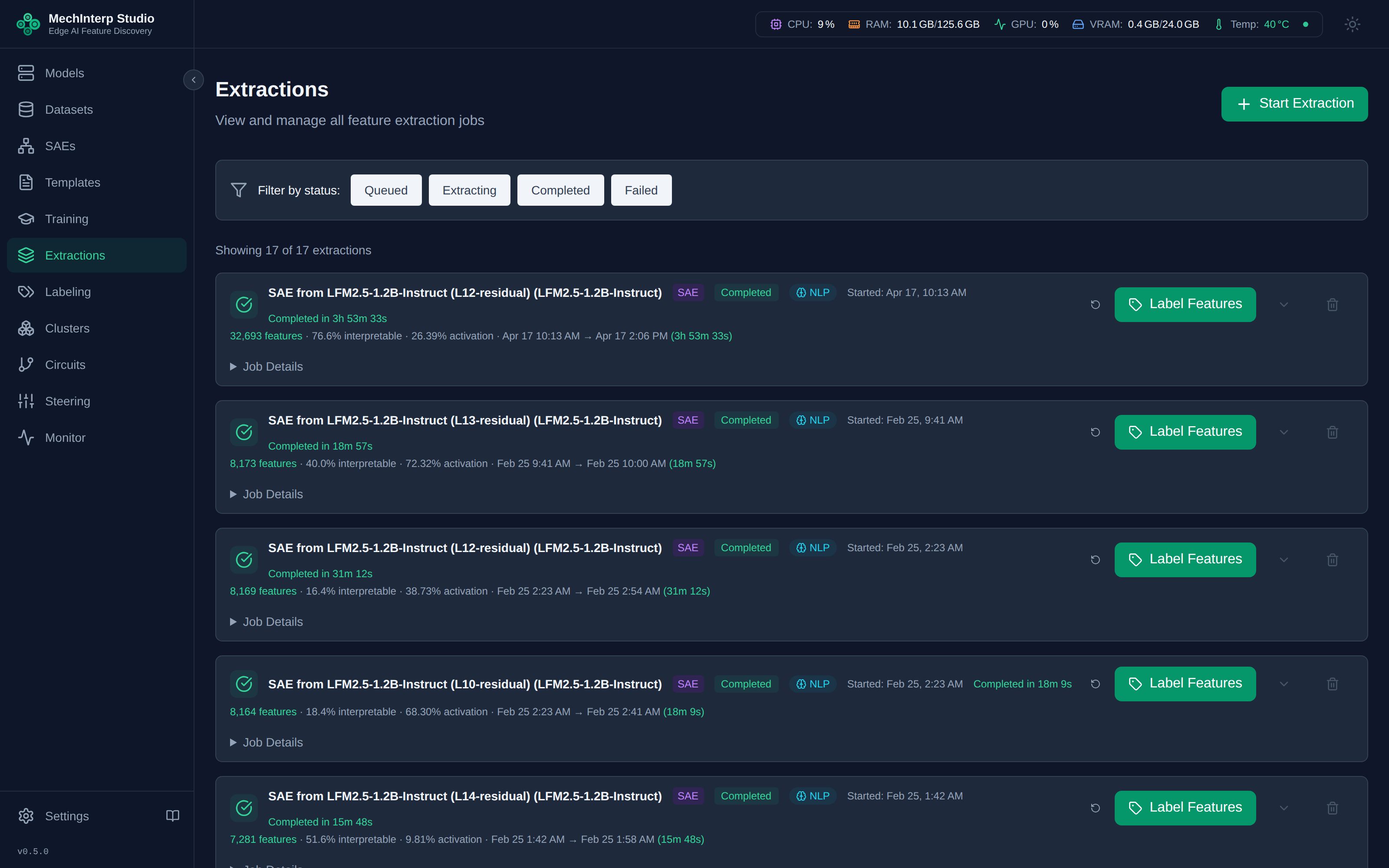
After training (or downloading an external SAE), run an Extraction Job to scan one or more corpora and record which features activate on which tokens.
An extraction reads a weighted mixture of datasets, not a single one. That
matters for which features survive: activation_frequency is measured over the
combined sample, so a feature that fires on 40% of code rows scores ~0 when
extracted against web text alone and is deleted by the dead-feature gate below.
Extracted against a mixture holding 15% code, the same feature scores 0.06 and
lives.
Extraction Configuration
miStudio supports two extraction types: Feature Extraction (from a trained SAE) and Activation Extraction (raw activations for training).
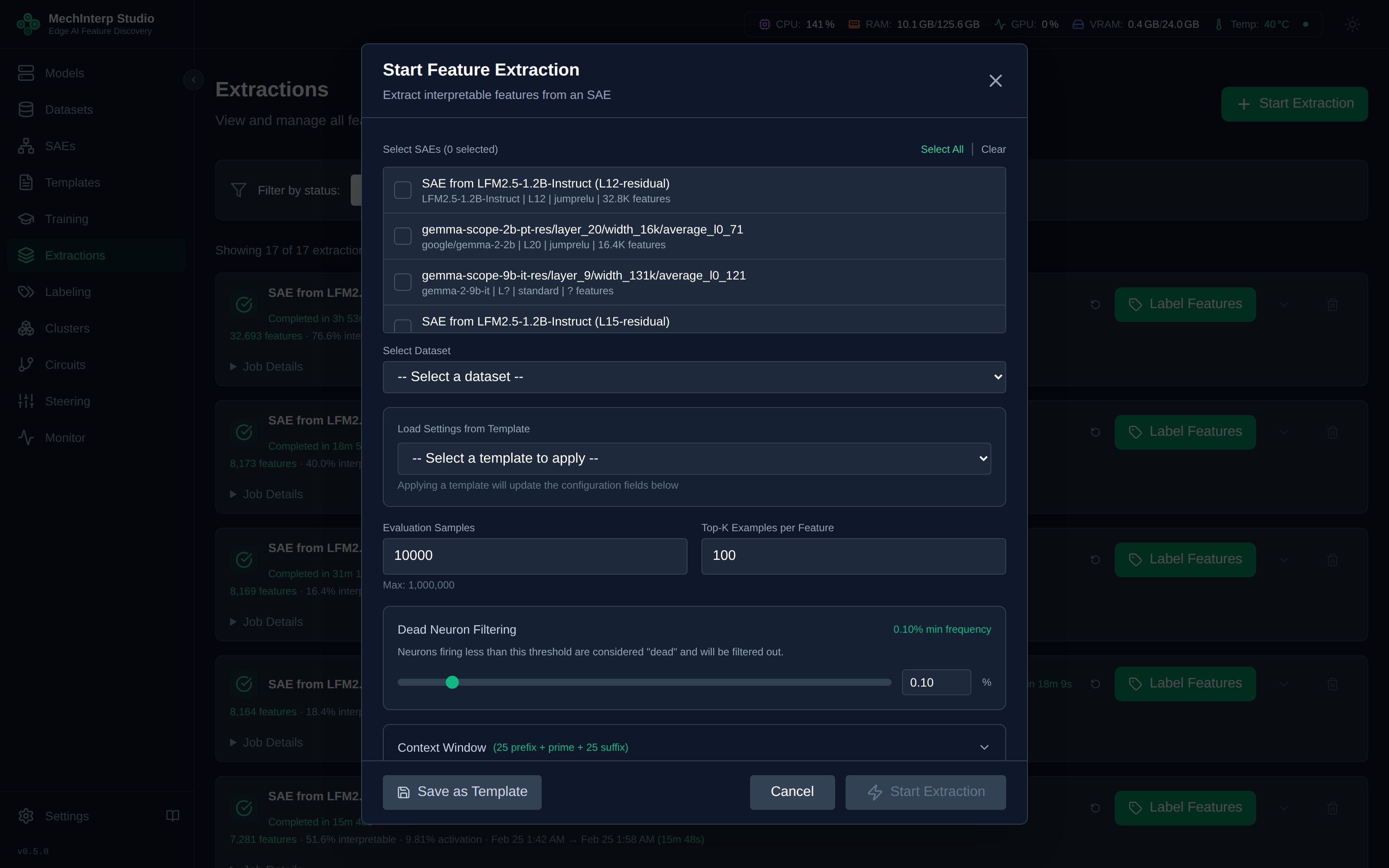
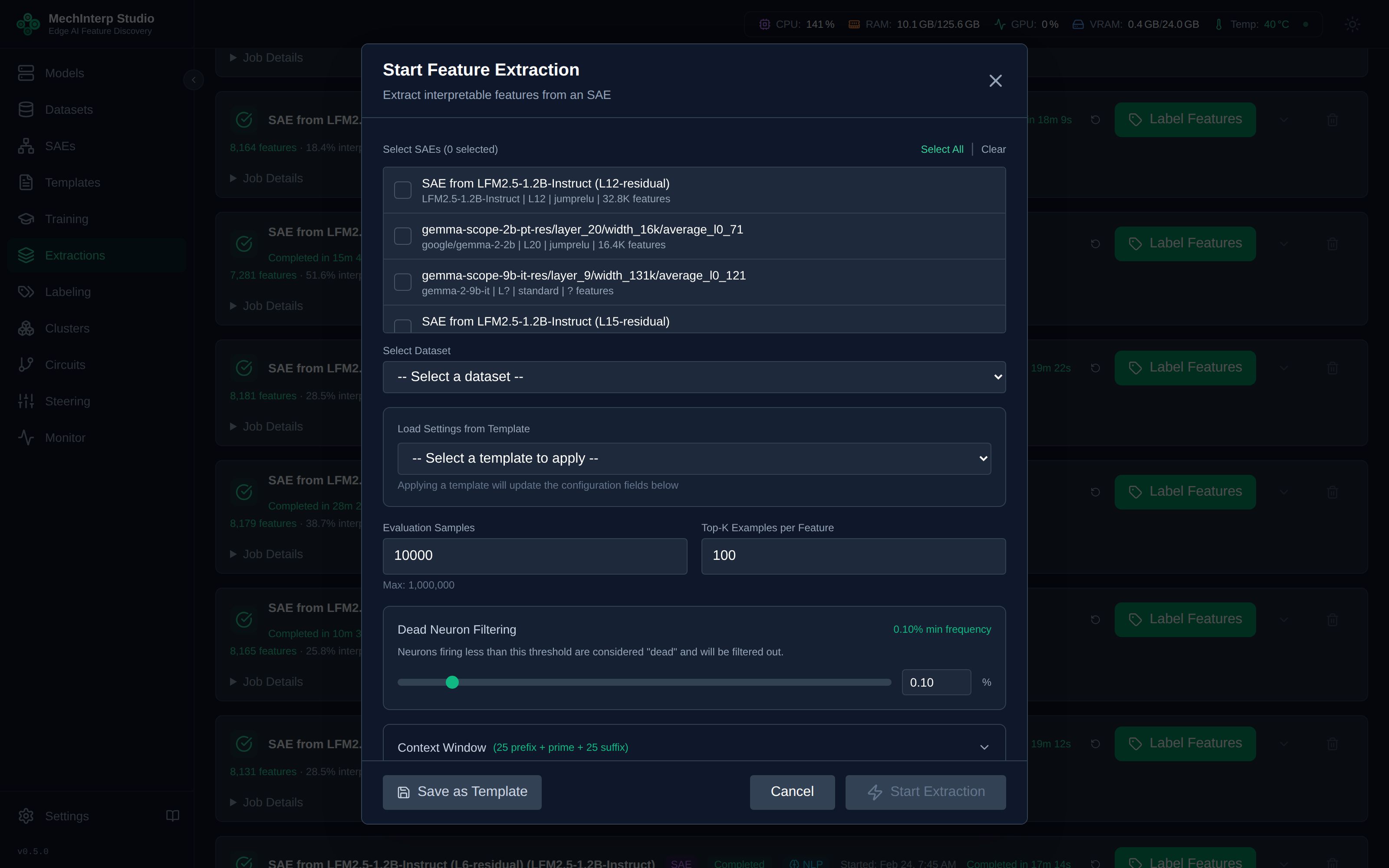
Feature Extraction Configuration
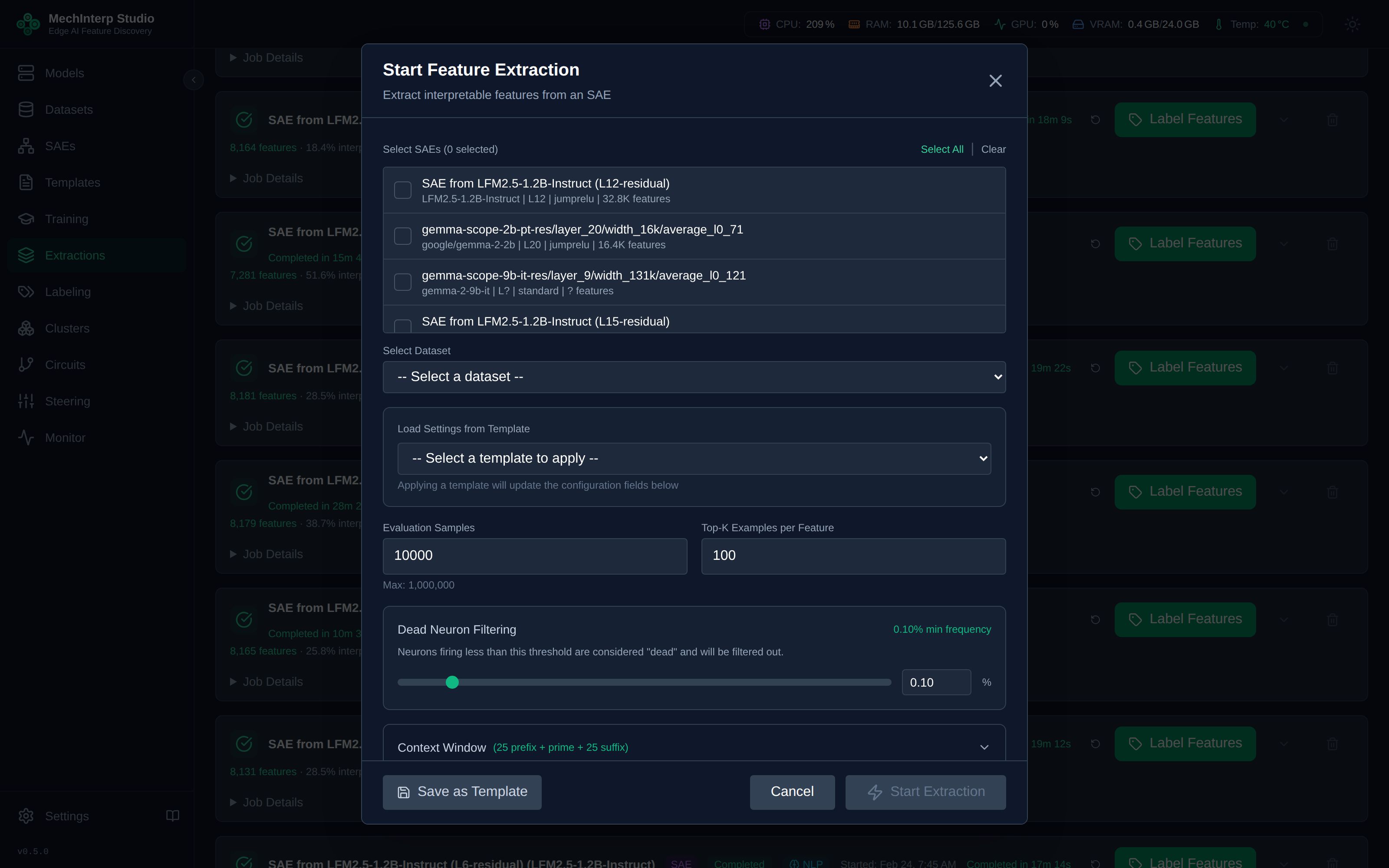
Activation Extraction Configuration
| Parameter | Default | Range | Description |
|---|---|---|---|
| Evaluation Samples | 10,000 | 100–1,000,000 | Dataset samples to scan. More = better coverage but slower. |
| Top-K Examples | 100 | 10–1,000 | Max-activating examples saved per feature. More = richer context for labeling. |
| Batch Size | Auto | 8–256 | Processing batch size. Auto-detected based on available VRAM. |
Corpus Mixture
An extraction draws its evaluation samples from one or more corpora. Select several and each contributes a share of the total.
| Field | Default | Description |
|---|---|---|
| Datasets | — | One or more tokenized corpora. All must share the same max_length. |
| Mixture Weights | equal | Relative share of the evaluation samples per corpus, normalised server-side. |
Weights are shares of the evaluation samples — rows, not tokens. This is deliberately a different unit from the training mixture, which weights tokens, because a Top-K slot is a row: a 17-token headline and a 2,048-token article each occupy one slot. Reusing a training ratio here is reasonable, but the two numbers describe different objects.
The realised split is capped by what each corpus holds, and is reported per corpus in the
extraction statistics as dataset_mixture — each entry carrying its label, row range, requested
weight and realised_fraction. Every stored example also records which corpus it came from.
A corpus whose activations are stronger wins more Top-K slots per row read. Measured over a five-corpus mixture sampled at 20% each, the realised evidence split ran from 13% to 33%.
To even that out, read the per-corpus evidence share from a first run and lower the weight of the corpora that over-win. Expect to undershoot, and do not chase exact equality. A corpus's slot yield is not fixed — it rises as its sample share falls, because its rows then compete against fewer of their own kind. Measured on the same SAE: dropping the dominant corpus from a 20% to an 11% sample moved its evidence share from 33% to 27%, not to 20%, as its per-row yield climbed from 1.6 to 2.4. One correction halves the spread; each further round costs a full extraction and buys less than the last.
activation_frequency is measured over the combined sample, and the dead-feature gate below reads
it. A feature that fires on 40% of code rows scores ~0 when extracted against web text alone and is
deleted, with its examples. Extracted against a mixture holding 15% code, the same feature scores
0.06 and survives.
Token Filtering
Control which tokens appear in activation examples. These filters affect both extraction and labeling:
| Filter | Default | Effect |
|---|---|---|
| Special Tokens | ✅ On | Removes <s>, </s>, <pad>, etc. |
| Single Characters | ✅ On | Removes single-character tokens |
| Punctuation | ✅ On | Removes pure punctuation tokens |
| Numbers | ✅ On | Removes pure numeric tokens |
| Fragments | ✅ On | Blocklist of ~440 affixes — and it contains ordinary words |
| Stop Words | ✅ On | Removes "the", "and", "is", etc. |
These settings are applied to the prime token — the single position where a feature peaks in a document. When the prime token is filtered, the entire (document, feature) pair is dropped: no example is stored, and the feature's recorded activation frequency does not count that document.
So the filters do not merely tidy what you read. They decide which features clear the dead-feature gate below, and therefore which features exist.
Fragments deserves particular care. It is a hand-written blocklist of ~440
entries, not a detector of BPE subwords, and it includes real words —
land, field, like, some, one, intra, trans. A worked case: feature
eb48_00046 was labelled "technical or specialized identifiers", and what it
actually detects is the seam of a word the tokenizer split. The blocklist had
removed every document whose peak landed on a conventional affix while letting
unusual splits through — intra and trans are both blocklisted, and
intrat|um|oral and Aut|otrans|former survived by landing on the odd piece.
The filter was selecting for the "technical" appearance that produced the label.
If a feature's label looks oddly specific, re-extract with Fragments off before believing it.
Keep most filters ON for cleaner labeling results. Only disable fragment filtering if you're specifically studying tokenization patterns, and only disable stop-word filtering if you are studying function words themselves.
Why stop words are filtered by default. A feature's strongest activations frequently land on
the, and, to — not because the feature detects function words, but because those tokens are
everywhere. Top-K then fills with them and the evidence says nothing. Measured on a 16,384-feature
SAE over a five-corpus mixture, filtering them changes what the evidence looks like without
costing features:
| filter off | filter on | |
|---|---|---|
| Features whose every example shares one prime token | 23.0% | 17.0% |
| Mean distinct prime tokens per feature | 8.19 | 10.47 |
| Features left with fewer than 25 examples | 0 | 0 |
Nothing is starved: every feature still fills all of its Top-K slots, from its strongest non-stop-word activations.
Context Window
Each activation example includes surrounding context for interpretation:
| Setting | Default | Description |
|---|---|---|
| Prefix Tokens | 25 | Tokens shown before the activating token |
| Suffix Tokens | 25 | Tokens shown after the activating token |
The asymmetric window (25+25=50 tokens of context) is based on research showing this window size captures sufficient context for accurate labeling.
Evidence Deduplication
A feature's Top-K slots hold distinct contexts. A corpus repeats itself — the same licence header appears in thousands of source files — and without this a feature that fires on boilerplate fills every one of its slots with the same passage. Twenty-five copies of one string teach a labeller nothing that one copy does not.
When a candidate repeats content the feature already holds, it folds into the existing entry and
the strongest instance is kept, rather than the first one seen. The count of folded candidates
is reported as duplicates_suppressed in the extraction statistics.
Identity is the token window plus the position of the peak, so passages that merely resemble each
other are kept as separate evidence. A Bloomberg byline feature whose examples all read
" story: <NAME> at <email>" and differ only by name keeps all of them — those are genuinely
different documents. The same window with its peak on a different token is likewise a different
thing for the feature to have done.
Deduplication does not reduce how many examples a feature ends up with. A rejected duplicate is replaced by the next-strongest distinct candidate, so features still fill their Top-K; what changes is what occupies the slots.
Dead Feature Filtering
Features that activate too rarely are filtered:
| Setting | Default | Description |
|---|---|---|
| Min Activation Frequency | 0.001 (0.1%) | Features firing less than this rate are excluded as "dead" |
activation_frequency counts only the samples where a feature's peak landed
on a token the filters kept. A feature can fire on 5% of your corpus and still
be cut, if its strongest activations sit on punctuation, on a numeral, or on one
of the ~440 entries in the word-fragment blocklist.
Being cut here is not "left unlabelled" — the feature gets no row at all, and its stored examples are discarded with it.
Extractions run from 2026-09 onward also record activation_frequency_true, the
same count taken before filtering, and report filter_suppressed_neurons in
the extraction statistics: the number of features that cleared this threshold on
their true rate and were cut anyway. If that number is large for your corpus,
the filters — not the model — decided which features exist.
Browsing Extracted Features
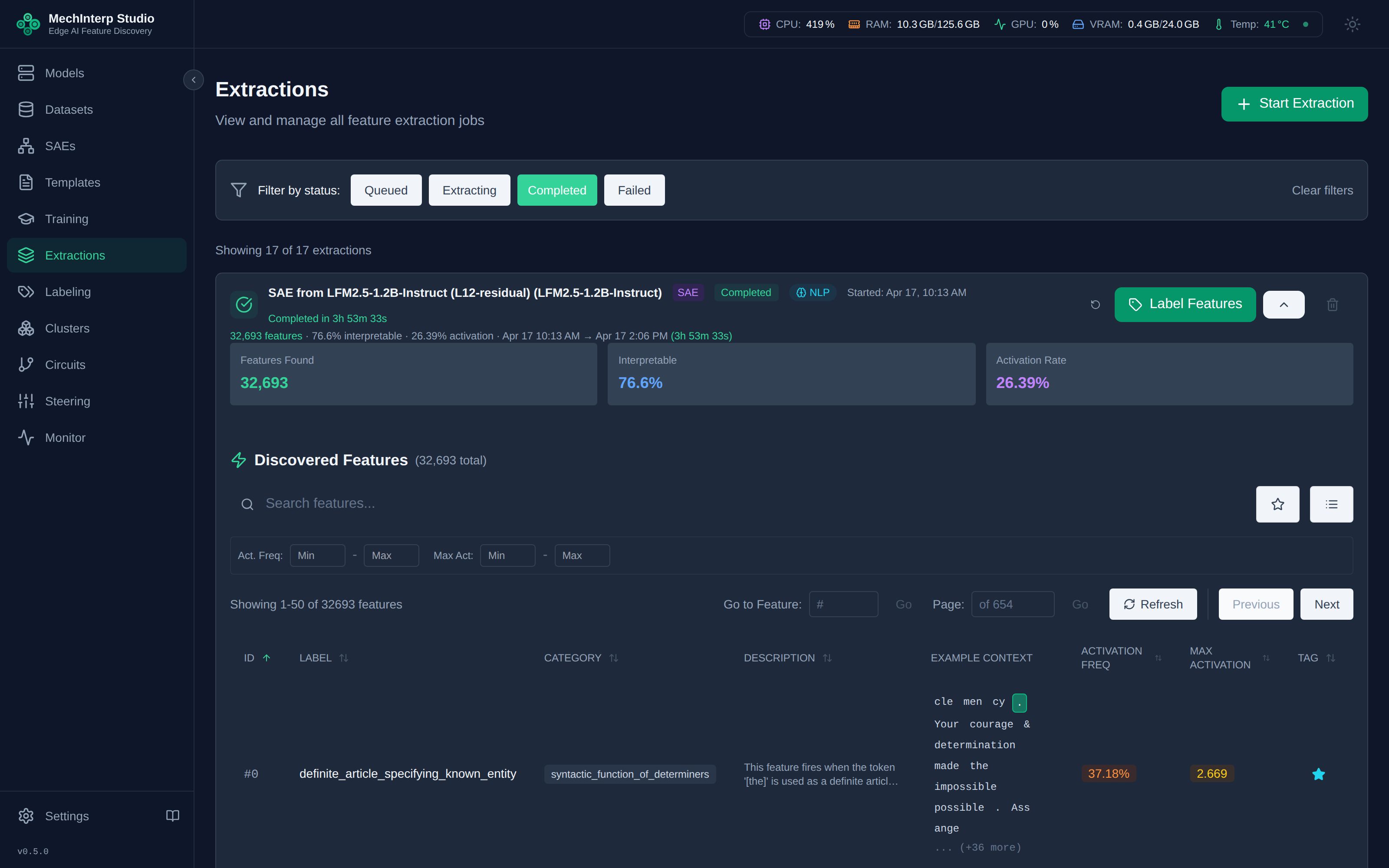
Once extraction completes, browse the discovered features in the feature browser:
Click any feature to view its activation examples, token context, and detailed statistics:
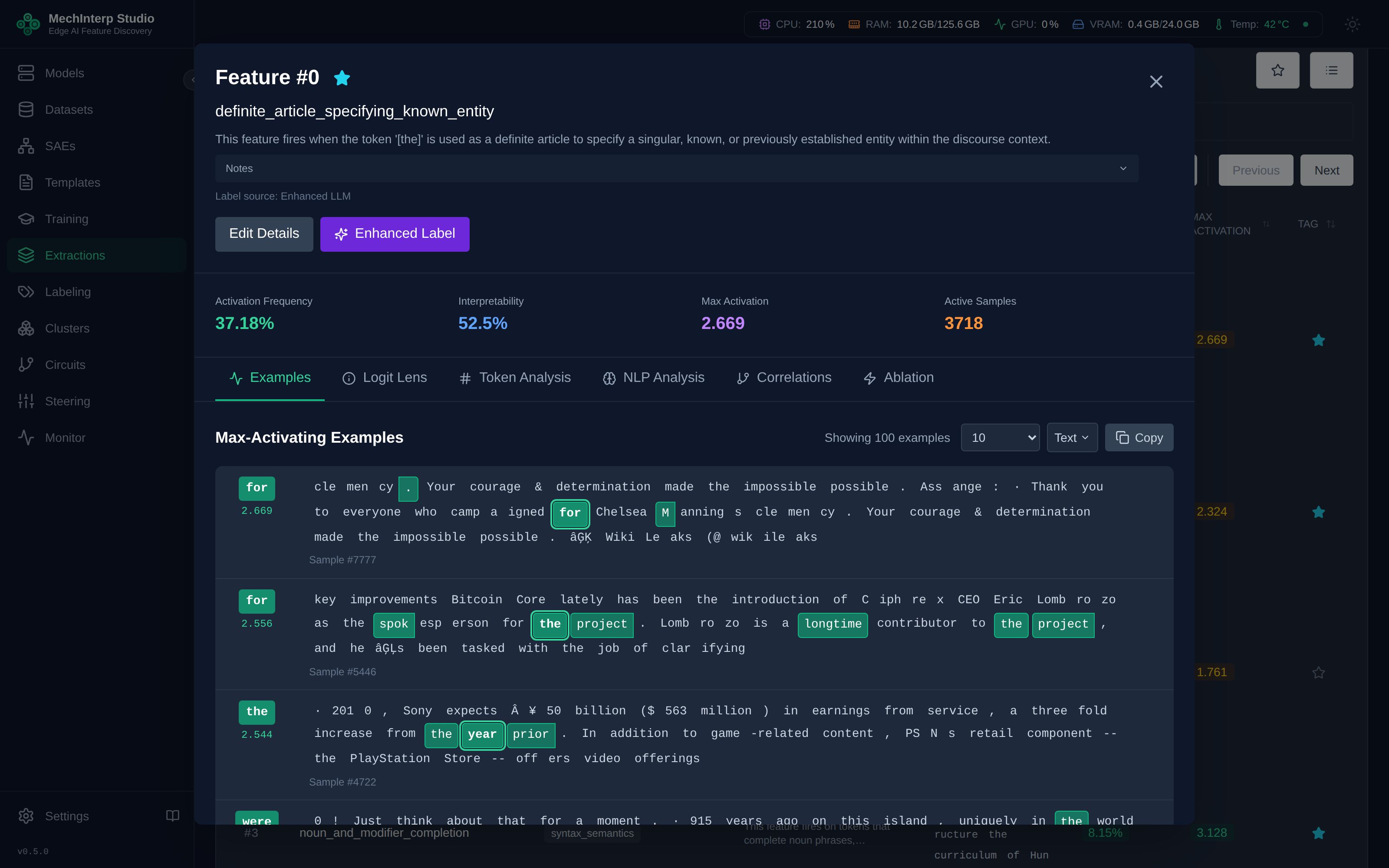
Tokens are shown as the text they represent. Tokenizers store a leading space as a marker rather
than a space, and encode non-ASCII bytes as printable stand-ins, so a possessive apostrophe is held
as âĢĻs and a space-prefixed word as Ġthe. Both the browser and the labelling prompt render
these back to ’s and the.
Job States
| State | Meaning | Delete offered |
|---|---|---|
queued | Waiting for a worker | No — cancel it instead |
extracting | Running; the card carries a live phase and progress | No — cancel it instead |
completed | Finished; features and examples are stored | Yes |
failed | Ended on an error, which the card shows | Yes |
cancelled | Stopped by an operator | Yes |
A cancelled job is a deliberate stop, not a failure, and is badged accordingly. It keeps whatever it wrote before stopping. The Extractions panel filters on all five states.
Deletion of a queued or extracting job is refused while it is genuinely active — with one
allowance: a job that has not reported progress for over five minutes is treated as stalled and can
be removed, so a crashed worker cannot leave a row that nothing can clear.