SAE Management
The SAEs panel is the unified home for every sparse autoencoder in your workspace, regardless of where it came from:
- Trained — SAEs produced by miStudio training jobs
- HuggingFace — pre-trained SAEs downloaded from the Hub (including Gemma Scope)
- Local — SAE files imported from disk
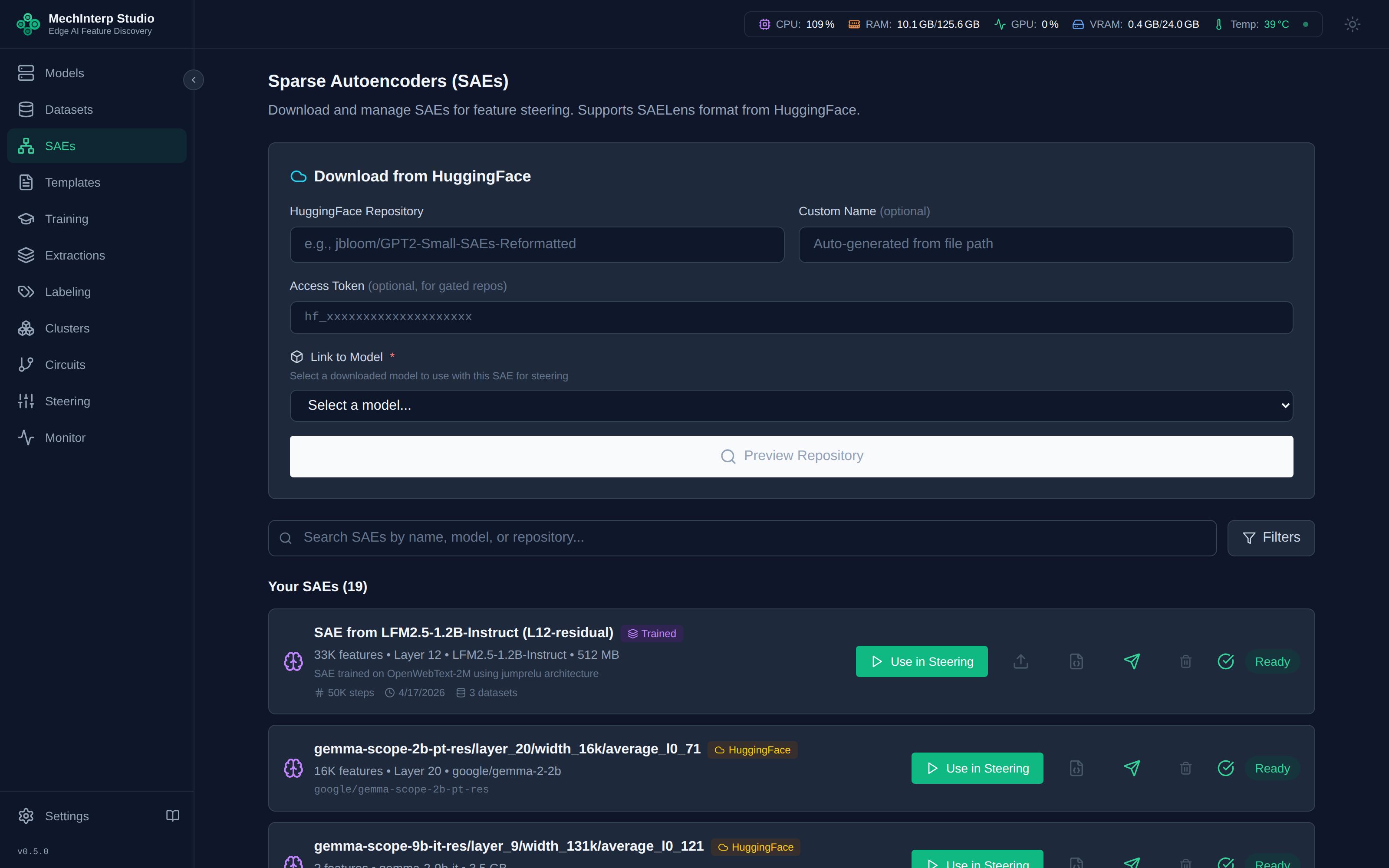
Each card shows the SAE's base model, layer, hook type, dimensions (d_model → n_features), architecture, and source. From here you can launch feature extraction, open steering, export to Neuronpedia, or delete.
Downloading Pre-Trained SAEs
Enter a HuggingFace repository ID and preview the available SAE files before downloading:
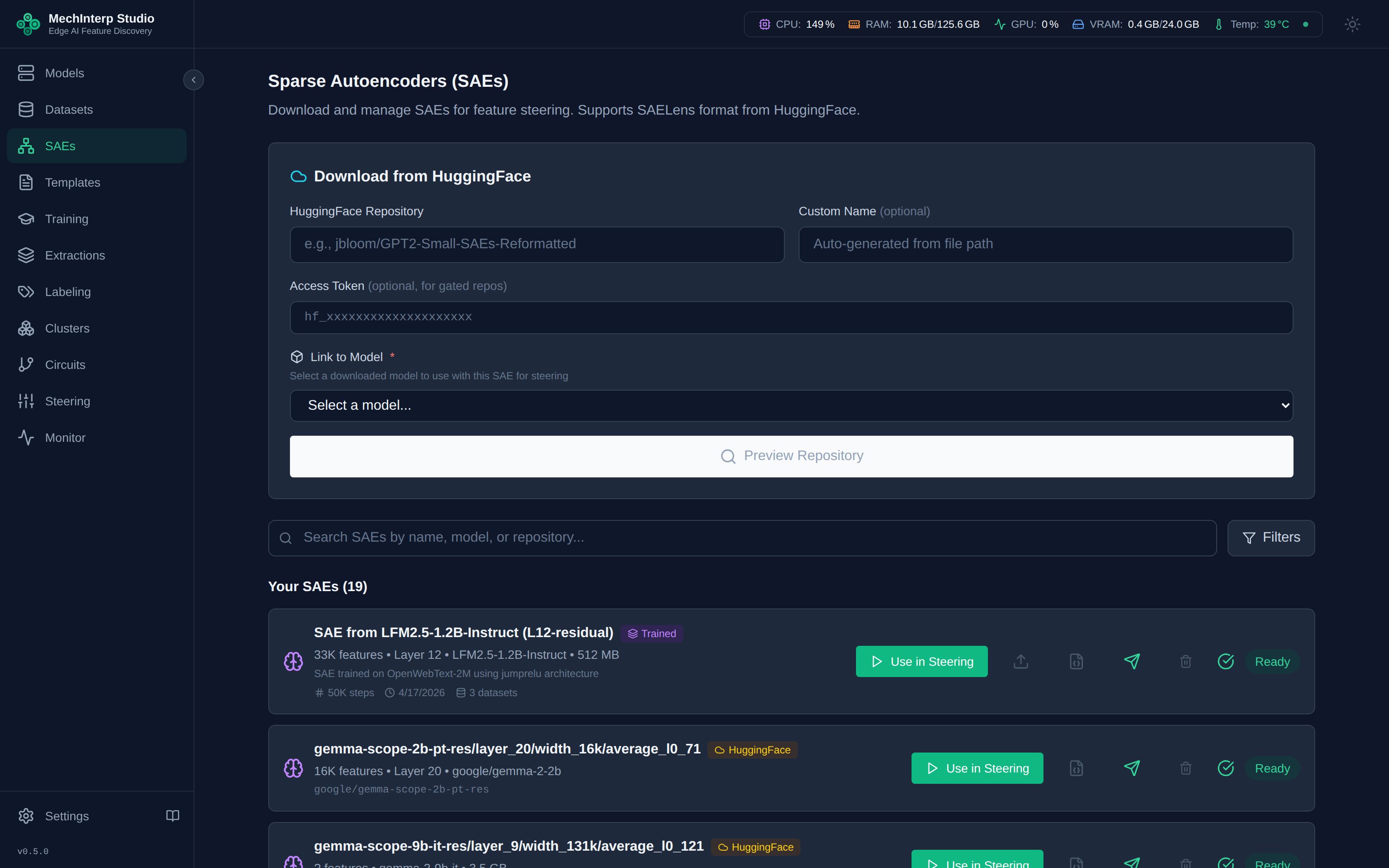
- Multi-select downloads: select several SAEs from one repository and download them in a single operation
- Grouped preview: files are organized by directory structure so multi-layer repos stay navigable
- Compatibility check: dimensions are validated against the base model before extraction
Gemma Scope
Google's Gemma Scope repositories follow a layer_N/width_16k/average_l0_XX/ layout. miStudio parses this structure automatically — pick the layer, width, and L0 variant you want, and the SAE is stored locally in SAELens community format.
Importing SAEs
A run that was stopped early has no SAE to import until it is finalized. Click Finalize on the training, then import as usual — see Training Lifecycle & Checkpoints.
Two import paths complement HF downloads:
- Import from training — register the SAE(s) a completed miStudio training produced. Multi-layer/multi-hook trainings expose all of their SAEs for import; already-imported ones appear disabled in the picker so you can't double-import. The hook type is auto-detected from each SAE's
cfg.json. - Import from file — point at an SAE directory already on disk.
Formats and Conversion
miStudio reads and writes two formats and converts between them automatically during download/import:
| Format | Layout | Used by |
|---|---|---|
| SAELens community standard | cfg.json + sae_weights.safetensors | Gemma Scope, most published SAEs |
| miStudio native | config.json + model.safetensors (+ training metadata) | miStudio training output |
Format detection is automatic — you never select a format manually.
Hook Types and What Accepts an SAE
Every SAE records the hook it was trained at, shown on its card:
- Downloaded or imported from disk: read from the SAE's own
cfg.json(hook_name, elsehook_point, including SAELens 6 files that keep them undermetadata), stored as written. A Gemma Scope SAE without one takes it from its set name:gemma-scope-…-resisresidual,-mlpismlp,-attisattention. - Imported from a training: the hook type the training used.
- Nothing says: the hook is left blank, and a blank hook is treated as residual. SAEs that earlier versions of miStudio downloaded or imported from disk all have a blank hook; SAEs imported from a training always recorded theirs.
Feature extraction, the Neuronpedia export, the local Neuronpedia push, circuit capture, steering (including
calibration and the steered transcript recorder) and the cluster strength allocation all read an SAE at its
layer's residual output, and accept only SAEs recorded there. Feature extraction, the Neuronpedia export and
push, creating a circuit capture, steering requests and the cluster strength allocation refuse anything else
with a 422 whose message names the hook. Calibration and the steered transcript recorder accept the
request and check when their job starts: the run is then recorded as failed.
| Recorded hook | Accepted | Why |
|---|---|---|
residual, resid_post, blocks.N.hook_resid_post, blank | yes | |
MLP-side: mlp, blocks.N.hook_mlp_out, a name containing transcoder | no | the result would describe the wrong activations |
Attention-side: attention, att, blocks.N.hook_attn_out, hook_z, hook_q, hook_k, hook_v, hook_pattern | no | the same |
resid_pre, resid_mid | no | they read the residual stream before the layer's output, so they would be read a layer (or half a layer) late |
A batch extraction skips a refused SAE and lists it with the reason. The logit lens and J-lens annotation read an SAE's decoder weights only, and accept any hook.
Extracting Features from an SAE
Every SAE card has an Extract Features action that launches the SAE→features pipeline described in Feature Extraction. Extraction progress streams to the card, and in-flight extractions can be cancelled. A batch extract action processes several SAEs sequentially.
A cancelled extraction is badged Cancelled — an operator stop is not a failure, and it is coloured to say so. It keeps whatever it wrote before stopping, can be filtered for in the Extractions panel, and can be deleted from the list like any other finished job. See Job States.
Delete Semantics
Deleting an SAE offers two behaviors:
| Option | What happens | Reversible? |
|---|---|---|
| Delete with files (default) | Hard delete — removes the SAE record, its weight files, and cascades to all features extracted from it | No |
| Keep files | Soft delete — the record is marked deleted but weights stay on disk | Yes (re-import) |
The default hard delete removes every extracted feature, label, and activation example derived from the SAE. If you've invested labeling effort, export to Neuronpedia first or use the soft-delete option.
Uploading to HuggingFace
Trained SAEs can be pushed back to the Hub for sharing. Uploads use a layer_XX/width_{n}k/ directory convention compatible with the Gemma Scope layout, so your published SAEs are browsable with the same tooling. Configure your HF token in Settings → API Keys first.