Model Management
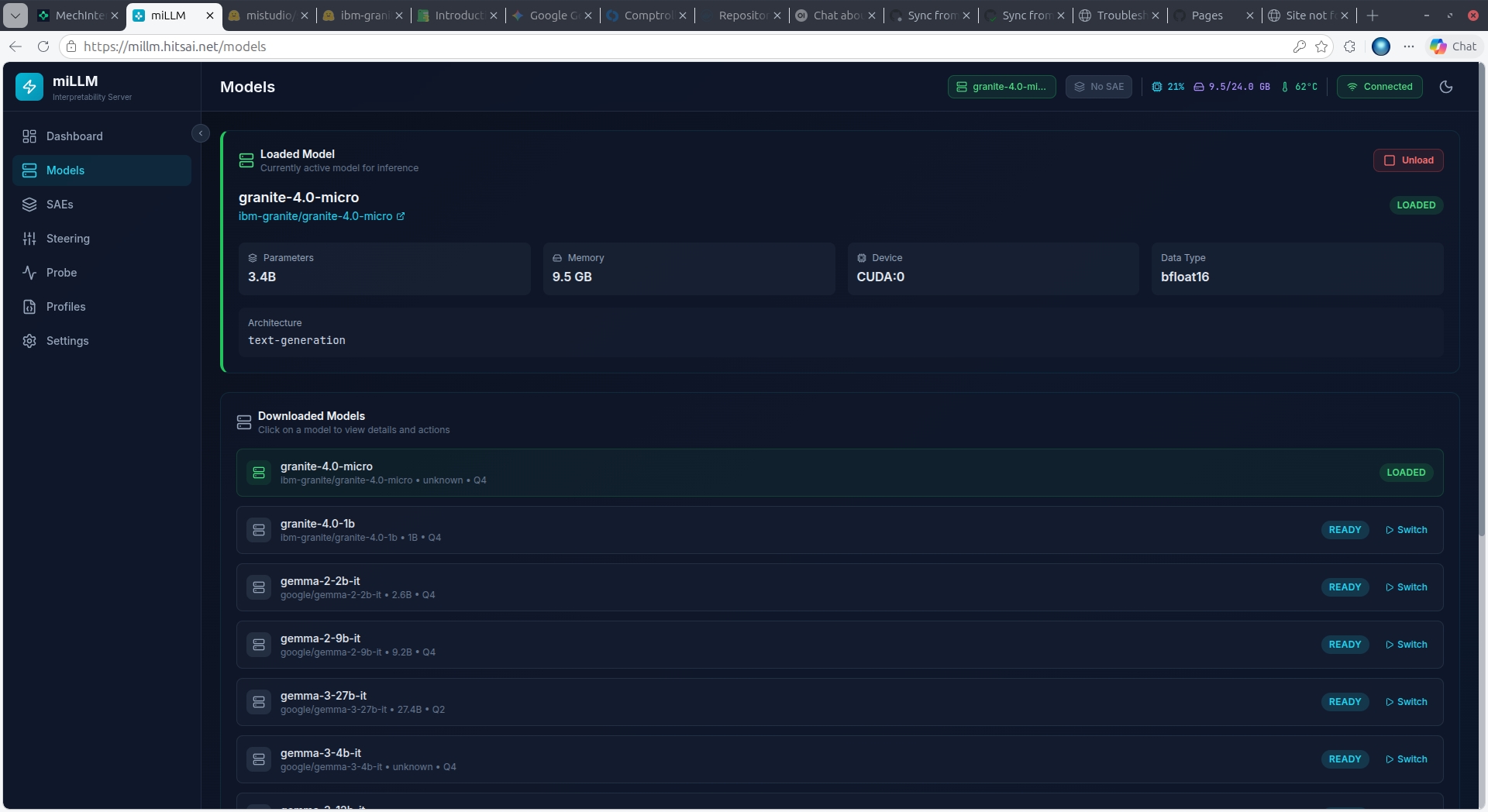
Loading a Model
- Navigate to Models in the sidebar
- Enter a HuggingFace repository ID (e.g.,
google/gemma-2-2b-it) - Select Quantization:
| Mode | Bits | VRAM Savings | Quality | Best For |
|---|---|---|---|---|
| FP16 | 16 | Baseline | Maximum | Precision research |
| Q8 | 8 | ~50% | Minimal loss | Good balance |
| Q4 | 4 | ~75% | Moderate loss | Consumer GPUs (recommended) |
| Q2 | 2 | ~87% | Significant loss | Maximum compression |
- Select Device (
autorecommended — places model on GPU with CPU offload if needed) - Optionally enter a HuggingFace Token for gated models (e.g., Llama)
- Check Trust Remote Code if required by the model
- Click Download & Load Model
Hybrid Models (Mamba/SSM)
Models with Mamba/SSM layers (e.g., granite-4.0-h-*) require the mamba-ssm package for efficient inference. Without it, the naive fallback creates massive intermediate tensors that cause OOM errors. Check that mamba-ssm is installed in your deployment.
Model Locking
When an SAE is attached, the model is automatically locked — preventing accidental unloading during steering experiments. Unlock manually from the model details if needed.
Downloaded Models
Previously downloaded models appear in a list below the load form. Click Load to switch to any ready model. The previous model is unloaded first to free GPU memory.
Dynamic Architecture Support
miLLM uses dynamic layer discovery to support any transformer architecture — Llama, Gemma, GPT-2, LFM, Granite, Mistral, Phi, and more. No configuration needed.